
Getting Started HP Notebook - Windows Vista and Windows 7

6 Maintenance
● Inserting or removing the battery
●
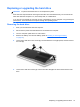
Replacing or upgrading the hard drive
●
Adding or replacing memory modules
●
Updating programs and drivers
●
Using SoftPaq Download Manager
●
Cleaning your computer
Inserting or removing the battery
NOTE: For additional information on using the battery, refer to the HP Notebook Reference Guide.
To insert the battery:
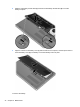
1. Insert the battery into the battery bay, aligning the tabs on the battery (1) with the notches on the
computer, and then press the battery (2) down until it is seated.
Inserting or removing the battery 33