
Getting Started HP Notebook - Windows Vista and Windows 7
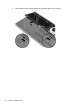
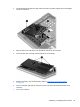
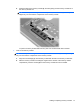

2. Slide the right battery release latch (3) and then the left battery release latch (4) to lock the
battery into place.
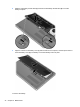
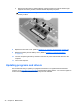
3. Align the notches on the battery cover (1) with the tabs on the computer, and then press down to
close the battery cover (2). The battery cover automatically locks into place.
To remove the battery:
34 Chapter 6 Maintenance