- Hewlett-Packard Smart Card Solution
Manuals
Brands
HP Manuals
Network Card
ActivCard Smart Card
1
2
3
4
5
6
7
8
9
10
6
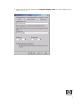
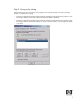
5.
Click the R
equest Handling tab
.
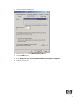
6.
Select or type
1024
in the
Minimum k
ey size
bo
x.
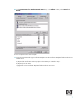
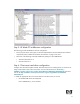
7.
Click t
he
CSP
s
button.
8.
Select
Reque
sts can u
se an
y C
SP a
vailable
on subject'
s compute
r
.
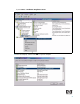
9.
Click the Sec
urity tab
.
1
...
...
4
5
6
7
8
...
...
24