
HP Color LaserJet CP3505 Printer - Software Technical Reference
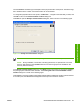

The result of clicking these buttons is explained in context in the following sections.
Printing-system software installation for MS Windows 2000 and Windows
XP
NOTE: The dialog boxes shown in this chapter appear in the Windows XP Professional
installation sequence. The order and appearance of dialog boxes can vary among operating
systems.
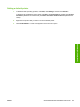
The Full Installation includes the following components:
●
HP Color LaserJet CP3505 PCL 6 Driver
●
Screen Fonts
●
Install Notes
●
User Guide
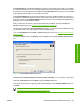
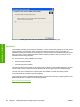
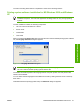
When you select the Install Printer option from the HP Color LaserJet CP3505 printing-system software
CD, the Language Selection dialog box appears.
Figure 3-17 Language Selection dialog box
NOTE: The Language Selection dialog box lists only the languages that are available on the
HP Color LaserJet CP3505 printing-system software CD.
The installer automatically detects the language that the computer system uses and presents this
selection as the default.
You can select another language that is available on the CD by clicking the down arrow in the drop-
down menu.
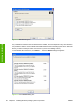
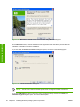
Click OK to initiate the printing-system setup. The Welcome dialog box appears.
ENWW Detailed MS Windows installation instructions 91
Installation in Windows