
HP Color LaserJet CP3505 Printer - Software Technical Reference
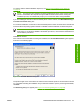




To continue with the default installation sequence, see Figure 3-28 Installation Type dialog box
on page 99.
NOTE: The printing-system software should be installed before the HP Color LaserJet CP3505
printer is connected to the computer through a USB connection and turned on. During the
installation process, the software will prompt you to connect the device during installation.
If you are installing the HP Color LaserJet CP3505 printer over the network, click Wired Networking in
the Printer Connection dialog box.
For a network installation, the HP Color LaserJet CP3505 printer must be connected to the network and
turned on before the printing-system software is installed so that the software can detect the printer.
NOTE: For wireless installation instructions using an HP Jetdirect ew2400 802.11g Wireless
Print Server or an HP Direct 380x802.11B wireless print server, consult the documentation that
comes with the print server.
Click Next to continue.
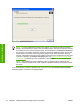
If the network has a firewall that is blocking the installation, the Firewall Detected dialog box appears,
as shown in the following figure.
Figure 3-20 Firewall Detected dialog box
The product might not be connected to the network. Ensure that the printer is connected and is turned
on. If a firewall is blocking the installation and you want the installer to open a port through the firewall,
click Next.
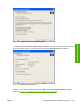
The Searching dialog box appears (see
Figure 3-21 Searching dialog box on page 94).
ENWW Detailed MS Windows installation instructions 93
Installation in Windows