
HP Color LaserJet CP3505 Printer - Software Technical Reference
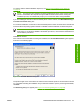
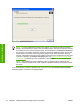
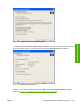


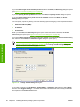


Figure 3-22 Check Printer Connection dialog box
If a printer is found, the Printers Found dialog box appears, with a list of matching products that have
been found on the network. If a single printer is found the Printer Found dialog box appears.
Figure 3-23 Printer Found dialog box
Select the printer that you want to install and click Next. The Confirm Network Settings dialog box
opens (see
Figure 3-24 Confirm Network Settings dialog box on page 96).
ENWW Detailed MS Windows installation instructions 95
Installation in Windows