
HP Color LaserJet CP3505 Printer - Software Technical Reference
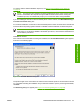




Type a different TCP/IP Address, Subnet Mask, or Gateway address and then click Next to open the
Confirm Network Settings dialog box (see
Figure 3-24 Confirm Network Settings dialog box
on page 96).
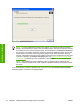
Figure 3-28 Installation Type dialog box
Click Basic Installation to install only the HP PCL 6 driver. If you click Basic Installation and then
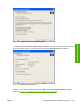
click Next, the Ready to Install dialog box opens (see
Figure 3-31 Ready to Install dialog box
on page 101).
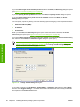
If you select Custom Installation and then click Next, the Feature Selection dialog box opens, as
shown in the following figure.
Figure 3-29 Feature Selection dialog box
ENWW Detailed MS Windows installation instructions 99
Installation in Windows