
HP Color LaserJet CP3505 Printer - Software Technical Reference
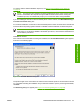




An empty check box indicates that the feature is not installed. A check mark appears when you select
an install state for that feature.
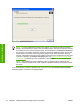
Information about the space required and the space available on your hard drive appears in the dialog
box.
Any combination of features can be selected for the installer, and none depends on any other selection.
It is possible to create a custom installer that installs features without including a print driver. Select the
drivers and features you want to install.
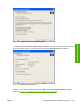
To view details about the features listed, click Details…. The Details dialog box appears.
All the drivers and optional features that are available in the Feature Selection dialog box are described
in the Details dialog box. Click OK to return to the Feature Selection dialog box.
Figure 3-30 Details dialog box
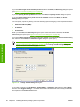
In the Drivers dialog box, click Next to continue the installation. The Ready to Install dialog box
appears.
100 Chapter 3 Installing Windows printing-system components ENWW
Installation in Windows