
HP Color LaserJet CP3505 Printer - Software Technical Reference
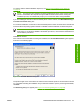
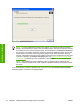
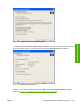


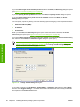


Figure 3-31 Ready to Install dialog box
Click Install to start the installation process.
Click Printer Properties to open the Printer Properties dialog box. This dialog box has a
singleGeneral tab
Figure 3-32 Printer PropertiesGeneraltab
On the General tab, you can change the printer name by typing a new name in the Printer Name field.
Use the Location: and Comment: fields to describe the printer. You can also leave these fields blank.
If you want to use the HP Color LaserJet CP3505 printer as your default printer, select the Use the
printer as the default printer for Windows-based programs check box.
ENWW Detailed MS Windows installation instructions 101
Installation in Windows