
HP Color LaserJet CP3505 Printer - Software Technical Reference
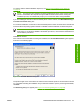
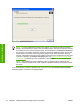




Use the Shared: field to share the printer. The printer is not shared by default.
Click OK to return to the Ready to Install dialog box, or click the Sharing tab to share the printer over
a network.
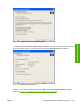
In the Ready to Install dialog box, click Next to begin the process of copying and installing the printing-
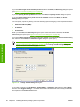
system software folders and files. The Installation Status dialog box is shown in the following figure.
Figure 3-33 Installation Status dialog box
This dialog box remains on the screen until all the installation components are checked off.
Click Cancel to close the Installer Customization Wizard without installing the printing-system software.
At a certain point, the Cancel button disappears and the process cannot be revoked.
When the installation is complete, the Finish dialog box appears, as shown in the following figure.
102 Chapter 3 Installing Windows printing-system components ENWW
Installation in Windows