
HP Color LaserJet CP3505 Printer - Software Technical Reference
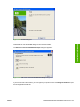
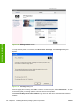





To resolve the conflicting settings, click Restore my previous settings. and then click OK. The driver
resets the conflicting control back to its previous state.
If you want to keep the conflicting setting, click Keep this setting, and I will change it later. and then
click OK.
NOTE: In this example, the conflict can be resolved manually. If the conflict is not resolved
when the driver is closed, then the same dialog appears again when a print job is sent to the
product.
112 Chapter 4 HP PCL 6, PCL 6 Black, PCL 5, and PS emulation print drivers for Windows ENWW
HP print drivers for
Windows