
HP Color LaserJet CP3505 Printer - Software Technical Reference




All media types support the smart duplexing feature, except for media types that cannot be printed on
both sides (such as labels, transparencies, and envelopes) and the following media types:
●
Prepunched
●
Preprinted
●
Letterhead
When the media type is set to Unspecified, the smart duplexing feature is disabled.
To achieve the best print quality when printing on the second side of the page, the printer needs to make
adjustments to its print modes. When you select a media type, you are, in effect, instructing the printer
to use a group of settings (such as fuser temperature and print speed) to print the media with the best
possible quality. This group of settings is known as print mode. A different print mode is used with each
media type. Print-mode adjustments for the second side of a duplexed page are automatic.
Manually printing on both sides
●
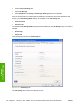
Manually Print on 2nd Side is not selected
Select the Print on Both Sides (Manually) check box to print on the second side of the media for
the HP Color LaserJet CP3505 and HP Color LaserJet CP3505n printer models, which do not have
a duplexing unit installed. Also select Print on Both Sides (Manually) on the other HP Color LaserJet
CP3505 printer models for media types that are not available when using the automatic duplexing
unit, such as cardstock and thick media.
Manually printing on the second side of a page is available when you are using the HP PCL 6,
PCL 5, or PS emulation unidriver. If a duplexing unit is installed and manual duplexing is enabled
in the driver, the printer automatically prints on both sides of media types that are supported for
automatic duplexing (Letter, A4, Legal, and 8.5 x 11 only), and forces manual printing on both sides
for media types that are not supported.
Select the media type that corresponds to the media that you are using for the print job. The
following media types have a different print modes when you manually print on the second side:
●
Plain
●
Preprinted
●
Letterheard
●
Prepunched
●
Bond
●
Recycled
●
Color
●
Rough
ENWW Finishing tab features 143
HP print drivers for
Windows