
HP Color LaserJet CP3505 Printer - Software Technical Reference


NOTE: If you are installing the printing-system software on a Macintosh OS X system, be
patient. The installer must perform an initial search of the computer for up to 1 minute. During
this time the installer might appear to be stalled.
4. When software installation is complete, click Quit. Use the following chart to finish setting up the
product:
The software program that you use to finish setting up the printer varies by operating system. The
following table shows the print setup tools that are available.
Table 6-1 Adding a printer in Macintosh operating systems
Operating System Print Center Printer Setup Utility
Mac OS X V10.2.8 x
Mac OS X V10.3 x
Mac OS X V10.4 x x
Mac OS X installation
This section provides information about the various installation dialog-box sequences for the Mac OS X
operating system.
Main Install dialog box sequence
This section provides information about the Macintosh installation dialog-box sequence for the Easy
Install (the typical installation option).
Insert the HP Color LaserJet CP3505 printing-system software CD in the CD-ROM drive.
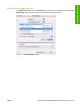
If the CD screen does not open automatically when the CD is put into the CD-ROM drive, double-click
the hp LaserJet CP3505 CD-ROM icon on the desktop to open the installer folder.
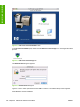
Figure 6-1 hp LaserJet CP3505 CD-ROM icon
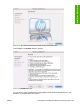
The HP Color LaserJet CP3505 dialog box opens.
ENWW Installing and uninstalling the Macintosh printing system 183
Installation in Macintosh