
HP Color LaserJet CP3505 Printer - Software Technical Reference

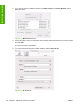



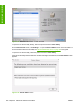

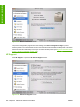

Figure 6-14 Printer Browser screen – Default Browser tab
9. In the Name: field, type a name for the HP Color LaserJet CP3505 printer.
10. In the Location: field, type the product location.
11. In the Print Using: field, select one of the following options:
●
Auto Select (This is the default setting.)
●
Generic PostScript Printer
●
Other (Select the appropriate brand name.)
12. Click Add to save the settings.
ENWW Installing and uninstalling the Macintosh printing system 193
Installation in Macintosh