
HP Color LaserJet CP3505 Printer - Software Technical Reference

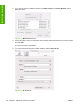





13. If you want to search for additional printers, click More Printers. The Printer Browser search
dialog box opens.
Figure 6-15 More Printers screen
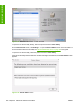
14. Use the drop-down menus to change the search settings. Select the printer that you want to install
and click Add.
To cancel the search, click Cancel.
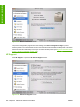
15. To connect the printer through its TCP/IP address, click the IP Printer tab.
Figure 6-16 IP Printer tab
194 Chapter 6 Macintosh software and utilities ENWW
Installation in Macintosh