
HP Color LaserJet CP3505 Printer - Software Technical Reference

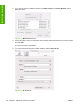





16. In the Search field in the upper-right corner, select one of the following options:
●
All (this is the default setting)
●
AppleTalk
●
Bonjour
●
FireWire®
●
Open Directory
●
Shared
●
USB
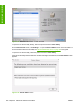
17. In the Protocol: drop-down menu, select one of the following options:
●
Internet Printing Protocol – IPP
●
Line Printer Daemon – LPD
●
HP Jet Direct – Socket
18. If you know the host name or TCP/IP address of the product, type it in the Address: field. (It might
also be available on the drop-down menu.)
19. If you know the queue path of the printer, type it in the Queue: field.
20. In the Name: field, type a name for the HP Color LaserJet CP3505 printer.
21. In the Location: field, type the product location.
22. In the Print Using: field, select one of the following options:
●
Auto Select (This is the default setting.)
●
Generic PostScript Printer
●
Other (Select the appropriate brand name.)
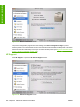
23. Click Add to save the settings. The product name appears in the Printer List.
Figure 6-17 Printer List screen
24. Click the product name to open the Select Printer screen and verify that the product has been
installed.
ENWW Installing and uninstalling the Macintosh printing system 195
Installation in Macintosh