
HP Color LaserJet CP3505 Printer - Software Technical Reference






HP Printer Utility for Macintosh
The HP Printer Utility is a software program that gives you access to the product in Mac OS X.
The HP Printer Utility does not work when it is installed by using the AppleTalk protocol. Use IP, Bonjour
or Rendezvous to enable the HP Printer Utility.
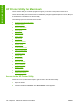
The following topics are discussed in this section:
●
Access to the HP Printer Utility
●
Supplies Status
●
Device Information
●
HP Support
●
Upload Fonts
●
Color Usage
●
File Upload
●
Update Firmware
●
Duplex mode
●
Protect Direct Ports
●
Trays Configuration
●
Lock Resources
●
Stored Jobs
●
E-mail Alerts
●
Network Settings
●
Bonjour Settings
●
Restrict Color
●
Supplies Management
●
Additional Settings
Access to the HP Printer Utility
In Mac OS X V10.3, follow these steps to gain access to the HP Printer Utility:
1. Open the Finder.
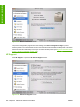
2. Find and double-click Printers. The Select Printer screen appears.
198 Chapter 6 Macintosh software and utilities ENWW
Installation in Macintosh