
HP Color LaserJet CP3505 Printer - Software Technical Reference

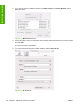





In Mac OS X V10.4, follow these steps to gain access to the HP Printer Utility:
1. Click Go.
2. Click Utilities.
3. Double-click HP Printer Selector. The Select Printer screen appears.
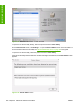
Figure 6-18 Select Printer screen – printer not selected
If the product does not appear, click More Printers…. The Connection Type screen appears.
Select the connection type (USB, TCP/IP, or AppleTalk). The product name appears under Device
Name.
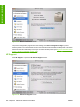
On the Connection Type screen, click Add. The Select Printer screen appears, showing printer
information.
ENWW HP Printer Utility for Macintosh 199
Installation in Macintosh