
HP Color LaserJet CP3505 Printer - Software Technical Reference

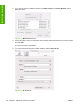



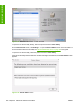

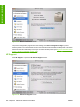

Figure 6-19 Select Printer screen – Printer selected
To open the HP Printer Utility directly, select the printer and click Launch Utility.
On the Select Printer screen, click Settings… to open the Device Status screen in the HP EWS. For
more information about the HP EWS, see
HP Embedded Web Server on page 56 in this guide.
To open the HP Printer Utility, select the product and click Launch Utility.
If the HP Printer Utility software detects a condition that might need attention, the Printer Status screen
appears.
Figure 6-20 Printer Status screen
200 Chapter 6 Macintosh software and utilities ENWW
Installation in Macintosh