
HP Color LaserJet CP3505 Printer - Software Technical Reference

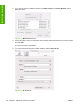



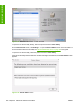

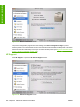

Figure 6-22 Device Information screen
The product configuration page shows other settings; click Print Configuration Page to print it.
Click the printer icon in the lower-left corner to see information about another installed printer. This action
relaunches the HP Printer Utility so that you can select another printer (see
Figure 6-18 Select Printer
screen – printer not selected on page 199).
HP Support
Click HP Support to open the HP Online Support screen.
Figure 6-23 HP Online Support screen
202 Chapter 6 Macintosh software and utilities ENWW
Installation in Macintosh