
HP Color LaserJet CP3505 Printer - Software Technical Reference
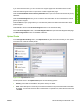

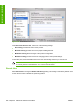



If you have Internet access, you can connect to HP support pages over the Web from this screen.
Click the Instant Support screen to open the HP Instant Support Web page.
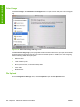
Click the Hewlett-Packard Online Privacy Statement link to open a screen that shows the HP privacy
statement.
Click the Product Support link if you do not want to send information to HP but would like to receive
generic product support.
Click Continue to open a page where you can select the product and find further information about
product support.
Click Cancel to return to the HP Online Support screen in the HP Printer Utility.
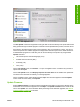
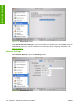
On the HP Online Support screen, click Order Supplies Online to open the Order Supplies Web page.
The Online Registration link is not available at this time.
Upload Fonts
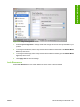
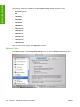
In the Configuration Settings menu, click Upload Fonts to gain access to fonts that you can upload
to the HP Color LaserJet CP3505 printer.
Figure 6-24 Upload Fonts screen
The drop-down menu in the Upload Fonts pane has the following options:
●
Memory. Fonts that are available in the printer memory are listed.
●
Disk. Select this option to shows any fonts that are installed on the product hard disk or flash disk.
By default, no fonts are stored on either of these disks. To upload fonts, select the font name and
click Add
ENWW HP Printer Utility for Macintosh 203
Installation in Macintosh