
HP Color LaserJet CP3505 Printer - Software Technical Reference
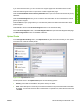
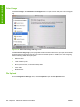
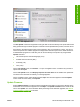

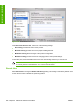

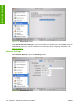


The Network Settings screen provides access to IPv4, IPv6 and Other Settings.
●
DHCP
●
BootP
●
Manual
You can also use this screen to modify the following settings:
●
Host Name
●
IP Address
●
Subnet Mask
●
Default Gateway
To save new settings, click Apply Now.
To view and change other network settings, click Other Settings.
If a user name and password have been set, you might need to obtain them from your IT administrator.
For more information, see the HP Color LaserJet CP3505 Embedded Web Server User Guide.
The HP EWS opens to the Network Settings screen. For information about this screen, see
Networking
tab on page 65 in this STR.
Bonjour Settings
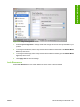
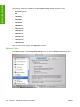
Select Bonjour Settings to open the Bonjour Settings screen. Bonjour is enabled by default.
To disable Bonjour, click to clear the Enable Bonjour check box and then click Apply Now.
Figure 6-33 Bonjour Settings screen
ENWW HP Printer Utility for Macintosh 211
Installation in Macintosh