
HP Color LaserJet CP3505 Printer - Software Technical Reference

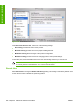

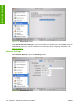

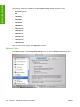

The following options are available in the The highest priority service drop-down menu:
●
Port 9100 (default)
●
IPP
●
LPD-RAW
●
LPD-TEXT
●
LPD-AUTO
●
LPD-BINPS
●
LPD-Queue5
●
LPD-Queue6
●
LPD-Queue7
●
LPD-Queue8
●
LPD-Queue9
●
LPD-Queue10
After you select a new setting, click Apply Now to save it.
Restrict Color
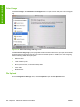
Click Restrict Color in the Configuration Settings menu to open the Restrict Color Use screen.
Figure 6-34 Restrict Color Use screen
212 Chapter 6 Macintosh software and utilities ENWW
Installation in Macintosh