
HP Color LaserJet CP3505 Printer - Software Technical Reference







The custom color-profile .RFU tiles that are available include:
●
A simulation of the color settings for the HP LaserJet 4650 printer:
*clj4650_*.RFU
●
A simulation of the color settings for the HP LaserJet 9500 printer:
*clj9500_*.RFU
●
A remote-firmware-update file that resets your printer to its original state:
*reset_*.RFU
While every care is taken to ensure a close match with the colors available on the product, several
factors can affect the outcome of the match:
●
Differences between printers within and between a given model line
●
Media type
●
The age and state of the custom-profile printer and the product to which the profile is to be
downloaded
●
The use or non-use of genuine HP supplies
●
Environmental conditions
Remote firmware update by using FTP through a browser
Complete the following steps to update the printer firmware by using file transfer protocol (FTP) through
a browser.
NOTE: The following instructions can be used on Windows or Macintosh operating systems.
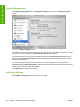
1. Make note of the TCP/IP address on the EIO-Jetdirect page. The EIO-Jetdirect page is the second
page of the configuration page printout. To print a configuration page, see
Determining the current
level of firmware on page 218
2. Open a browser window.
3. In the address line of the browser, type ftp://<IPADDRESS>, where <IPADDRESS> is the TCP/
IP address of your product. For example, if the TCP/IP address is 192.168.0.90, type FTP://
192.168.0.90
4. Locate the downloaded .RFU file for the product.
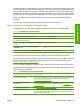
5. Drag and drop the .RFU file onto the PORT1 icon or onto any open space in the browser window.
NOTE: If the PORT1 icon does not appear as a folder name, you might have to enable
folder viewing for FTP sites in your Web browser. In Microsoft Internet Explorer, use the
following procedure to enable the folder view.
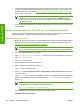
a. Select Tools, then select Internet Options, and then select the Advanced tab.
b. Select the Enable folder view for FTP sites.
c. Click OK to save the setting.
ENWW Remote firmware update 221
Engineering Details