
HP Color LaserJet CP3505 Printer - Software Technical Reference



Documents are available in the following file formats:
●
Portable Document Format (.PDF). The HP Color LaserJet CP3505 printing-system software CD
includes Adobe Acrobat Reader for viewing online documentation.
●
Compiled HTML (.CHM). When you click a documentation link to a .CHM document, a Microsoft
HTML Viewer opens the file on the computer screen.
●
Hypertext Markup (.HTM). When you click a documentation link to an .HTM document, a Web
browser opens the file on the computer screen.
●
Rich Text format (.RTF). This is a text file. You can navigate to files and open them in Microsoft
Word or Microsoft WordPad.
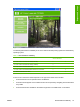
HP Color LaserJet CP3505 User Guide
TheHP Color LaserJet CP3505 User Guide describes the basic product features.
To view this guide from the software CD, follow these steps:
1. In the main screen of the CD browser, click User Documentation.
2. Click User Guide (Interactive).
The guide opens as a Windows Help file (.CHM file). This readable, onscreen version of the guide is
provided in accordance with the Americans with Disabilities Act (ADA).
You can also gain access to the file by following these steps:
1. Insert the software CD into the CD-ROM drive.
2. Navigate to the Manuals\<language> folder.
3. Open the file that has the appropriate file name:
CLJCP3505_USE_XXWW.CHM
NOTE: The "XX" in the file name corresponds to the language. For instance, the file name for
the French version of the guide is CLJCP3505_USE_FRWW.CHM
TheHP Color LaserJet CP3505 User Guide is provided as a .PDF file, which you can print. To print the
guide, follow these steps:
1. In the CD Browser, click User Documentation.
2. Click User Guide (Printer Friendly). The guide opens.
3. Print the guide.
You can also gain access to the file by following these steps:
1. Insert the software CD into the CD-ROM drive.
2. Navigate to the Manuals\<language> folder.
3. Open the file that has the appropriate file name:
CLJCP3505_USE_XXWW.PDF
20 Chapter 1 Purpose and scope ENWW
Purpose and scope