
HP Color LaserJet CP3505 Printer - Software Technical Reference

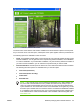
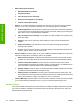





The following drivers are available on the HP Color LaserJet CP3505 printing-system software CD:
●
The HP PCL 6 Print Driver for Windows 2000, Windows XP, Windows Server 2003, and Windows
Vista
●
HP PCL 6 Print Driver (Black) for Windows 2000, Windows XP, Windows Server 2003, and
Windows Vista
●
HP PCL 5c Print Driver for Windows 2000, Windows XP, Windows Server 2003, and Windows
Vista
●
The HP Postscript 3 Emulation Unidriver (the HP PS Emulation Print Driver) for Windows 2000,
Windows XP, Windows Server 2003, and Windows Vista
NOTE: If you select a Full Installation during installation of the printing-system software, the
HP PCL 6 Print Driver is installed by default.
Table 2-1 Print drivers included with the HP Color LaserJet CP3505 printer
Operating System
1
PCL 6 Unidriver HP PCL 6 Print Driver
(Black)
PCL 5c Unidriver PS Emulation Print
Driver
Windows 2000 X X X X
Windows XP X X X X
Windows Vista) X X X X
Macintosh OS X
Longhorn X X X X
Windows Server 2003 X X X X
1
Not all product features are available from all drivers or operating systems. See the online Help in your driver for information
about the features that are available.
Print-driver version numbers for Windows operating systems
Access to print-driver version numbers varies, depending on the operating system in which the HP Color
LaserJet CP3505 printer is installed.
NOTE: For a list of HP Color LaserJet CP3505 print drivers, updated HP printing-system
software, and product-support information, go to:
www.hp.com/go/cljcp3505_software
The Windows 2000, Windows XP, Windows Server 2003, and Windows Vista operating systems support
the HP PCL 6, PCL 5, and PS emulation unidrivers. If you are using an HP unidriver in a Windows 2000,
Windows XP, Windows Server 2003, or Windows Vista environment, follow these steps to find driver-
version information:
1. Click Start.
2. Select Settings.
3. Click Printers and Faxes (in Windows XP and Windows Server 2003) or Printers (in Windows
2000).
4. Right-click the printer icon.
28 Chapter 2 Software description ENWW
Software description