
HP Color LaserJet CP3505 Printer - Software Technical Reference
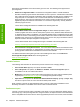




Figure 2-2 My HP Printers screen
If the HP Color LaserJet CP3505 printer is connected directly through a USB port, an icon for the product
appears in the main pane of the Easy Printer Care screen (see
Figure 2-10 MY HP Printers — HP Color
LaserJet CP3505 printer on page 47).
If the HP Color LaserJet CP3505 printer is connected over a network, click Find Other Printers.
Find Other Printers
Click Find Other Printers on the left pane of the My HP Printers screen to open the Step 1 of 3: Start
Search screen.
42 Chapter 2 Software description ENWW
Software description