
HP Color LaserJet CP3505 Printer - Software Technical Reference

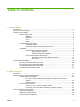
General ........................................................................................................... 158
Neutral Grays .................................................................................................. 159
Halftone ........................................................................................................... 159
Color Themes .................................................................................................................. 159
RGB Color ....................................................................................................... 159
Default (sRGB) ............................................................................... 160
Image Optimization (sRGB) ............................................................ 160
Adobe RGB (1998) ......................................................................... 160
None ............................................................................................... 160
Custom Profile ................................................................................ 160
CMYK Color (PS Emulation Print Driver only) ................................................ 160
Default CMYK+ ............................................................................... 161
SWOP ............................................................................................. 161
Euroscale ........................................................................................ 161
DIC ................................................................................................. 161
Custom Profile ................................................................................ 161
Document preview image ................................................................................................ 161
Services tab features ........................................................................................................................ 162
Internet Services .............................................................................................................. 162
Device services ................................................................................................................ 163
Device Settings tab features ............................................................................................................ 164
Form to Tray Assignment ................................................................................................ 164
Font Substitution Table .................................................................................................... 165
External Fonts ................................................................................................. 166
Installing external fonts ................................................................... 166
Removing external fonts ................................................................. 167
PS Emulation Print Driver Device Settings ...................................................................... 167
Available PostScript Memory .......................................................................... 167
Output Protocol ............................................................................................... 167
Send Ctrl-D Before Each Job .......................................................................... 168
Send Ctrl-D After Each Job ............................................................................ 168
Convert Gray Text to PostScript Gray ............................................................. 168
Convert Gray Graphics to PostScript Gray ..................................................... 168
Add Euro Currency Symbol to PostScript Fonts ............................................. 168
Job Timeout .................................................................................................... 168
Wait Timeout ................................................................................................... 169
Minimum Font Size to Download as Outline ................................................... 169
Maximum Font Size to Download as Outline ................................................. 169
Installable Options ........................................................................................................... 169
Automatic Configuration .................................................................................. 169
Tray 3 .............................................................................................................. 170
Duplex Unit (for 2-Sided Printing) .................................................................. 170
Allow Manual Duplexing .................................................................................. 170
Printer Memory ................................................................................................ 170
Printer Hard Disk ............................................................................................. 170
Job storage ..................................................................................................... 170
Mopier Mode ................................................................................................... 171
Mopier mode and collation ............................................................. 171
Postscript Passthrough (PS Emulation Print Driver only) ............................... 172
JPEG Passthrough (PS Emulation Print Driver only) ...................................... 172
ENWW vii