
HP LaserJet P2010 Series - Software Technical Reference


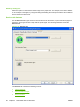


Cleaning Page
Click Start... to print a cleaning page.
Courier Font Type
Select Regular to print any text by using TrueType Courier or Courier New with normal weight.
Select Dark to print any text by using TrueType Courier or Courier New with a dark weight but without
changing the font attributes in a program. Regular is the default setting.
Print Density
Use this control to specify how much toner is put on the page. 3 is the default setting.
Tray Assignment
Use these controls to specify the media type for each tray on the device.
Optional Tray (Tray 3) Installed
Select this setting if the device has an optional tray 3 installed. When this setting is selected, the Tray
3 option becomes available in the Tray Assignment control, and Tray 3 appears in the Source is:
drop-down menu in the Paper Options settings on the Paper/Quality tab.
Allow Manual Duplexing
Use this setting to allow printing on both sides of a page using manual two-sided printing. This option
is selected by default.
About tab features
The About tab provides detailed information about the driver. It contains an overall build number after
the model name, and specific information about each of the components. The information varies
ENWW Driver tabs 101
Host-based driver for
Windows