
HP LaserJet P2010 Series - Software Technical Reference
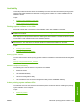


Figure 5-6 Easy Install dialog
Click Install to start the installation on the selected disk. The printing system files are installed in the
main Library folder on the Macintosh hard drive. If installed, the HP Device Configuration Utility is
installed under the Application directory in a directory labeled HP EWS Device Configuration. An
uninstaller utility for the Device Configuration utility is also installed in this directory.
Figure 5-7 Installing dialog
The Installing dialog shows installation progress. No action is required.
A dialog stating that the installation was successful appears.
Figure 5-8 Installation success message
ENWW Macintosh install and uninstall instructions 113
Macintosh