
HP LaserJet P4010 and P4510 Series Printers UPD PS - Printing

HP LaserJet P4010 and P4510 Series Printers UPD PS – Printing
©2008 Copyright Hewlett-Packard
Development Company, L.P.
4
www.hp.com
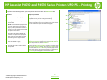
To perform the following tasks, open the printer driver and click the
Job Storage tab.
How do I
Steps to perform
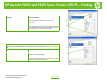
19 Print one copy for proof before
printing all the copies)
In the Job Storage Mode
area, click
Proof and Hold
.
The product prints the first copy only. A message
appears on the product control panel that prompts you to
print the rest of the copies.
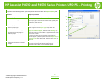
20 Temporarily store a private job on
the product and print it later
a) In the Job Storage Mode
area, click
Personal Job.
b) In the Make Job Private
area, enter a 4-digit personal
identification number (PIN).
21 Temporarily store a job on the
product
NOTE: These jobs are deleted if the
product is turned off.
In the Job Storage Mode
area, click
Quick Copy
. One
copy of the job is printed immediately, but you can print
more copies from the product control panel.
22 Permanently store a job on the
product
In the Job Storage Mode
area, click
Stored Job
.
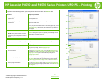
23 Make a permanently stored job
private so that anyone who tries to
print it must provide a PIN
a) In the Job Storage Mode
area, click
Stored Job
.
b) In the Make Job Private
area, click
PIN to print
, and
then enter a 4-digit personal identification number (PIN).
24 Receive notification when someone
prints a stored job
In the Job Notification Options area, click Display Job
ID when printing
.
25 Set the user name for a stored job
In the User Name
area, click
User name
to use the
Windows default user name. To provide a different user
name, click
Custom
and type the name.
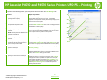
26 Specify a name for the stored job
a) In the Job Name
area, click Automatic
to use the
default job name. To specify a job name, click
Custom
and type the name. b) Select an option from the If job
name exists dropdown list. Select
Use Job Name + (1-
99) to add a number to the end of the existing name, or
select Replace Existing File
to overwrite a job that
already has that name.
19
20
21
22
23
24
25
26