
HP LaserJet P4010 and P4510 Series - Software Technical Reference
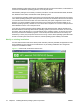
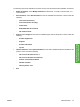
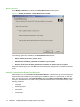

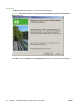
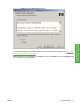
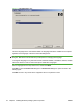

Figure 3-5 Language dialog box
This is the language for the customized installer. The language selected is installed on the computer
regardless of the language of the text in the wizard dialog boxes.
NOTE: After installation, the language used in the driver is limited to the one that is selected in this
dialog box. Maintenance mode does not provide options for changing the language.
To change the language on a system that used an customized installer, uninstall the software, and then
install a new device in order to restore the option to install other languages.
Select a language from the drop-down menu, and then click Next.
Click Next to open the Printer Port dialog box. The Printer Port dialog box opens as shown in the
following figure.
Click Back on this or any screen where it appears to return to a previous screen.
78 Chapter 3 Installing Windows printing-system components ENWW