
HP LaserJet P4010 and P4510 Series - Software Technical Reference
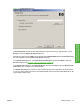
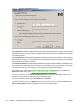
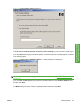
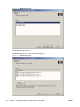
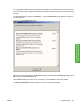
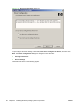
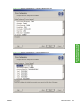
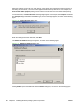
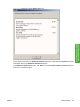
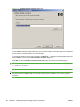

Figure 3-8 Port Creation Options dialog box
Click No, do no create the port (the printer will not be installed) if you do not want to create a port.
If you click Next without typing a hardware address, a network setup error message appears, as shown
in the following figure.
Figure 3-9 Please enter a Hardware address — Network Setup Error dialog box
NOTE: To print a configuration page to see the hardware address, see Print a configuration page
on page 242.
If you click Yes, create the port, type the device hardware address in the Hardware Address field,
and then click Next.
The Model dialog box opens. Click the applicable product model and click Next.
ENWW Install Overview 81
Install Windows printing-
system components