
HP LaserJet P4010 and P4510 Series - Software Technical Reference
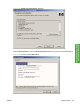

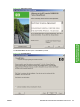


To change the device name, type a new name in the Printer Name field.
Use the Location and Comment fields to describe the device, or leave these fields blank.
To use the HP LaserJet P4010 and P4510 Series printer as your default device, click Use this as the
default printer, and then select Yes drop-down menu.
To share the device over a network, click Shared, and then select Yes in the drop-down menu. The
default setting is No.
Click OK to return to the Ready to Create Installer dialog box.
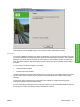
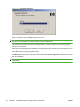
In the Ready to Create Installer dialog box, click Next to begin the process of creating the custom
installer package. The Creating dialog box is shown in the following figure.
Figure 3-22 Creating dialog box
This dialog box remains on the screen until the status bar fills.
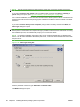
Click Cancel to close the Installer Customization Wizard without creating the customized installer
package.
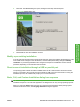
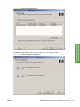
When the creation is complete, the Finish dialog box appears, as shown in the following figure.
90 Chapter 3 Installing Windows printing-system components ENWW