
HP LaserJet P4010 and P4510 Series - Software Technical Reference
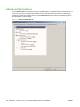
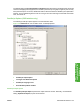
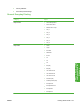

The default setting for Print Optimizations is Enabled. When this feature is enabled and the document
contains overlapping text and graphics, the text that is placed on top of a graphic might not print correctly.
If the printed output is not correct, disable this feature. When this feature is disabled, print optimization-
features, such as substituting device fonts for TrueType fonts and scanning for horizontal and vertical
rules, are turned off.
PostScript Options (PS Emulation only)
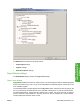
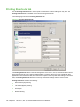
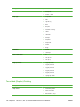
The following PostScript options appear in the PS emulation driver:
Figure 4-4 Advanced tab - PS emulation driver - PostScript Options
●
PostScript Output Option
●
TrueType Font Download Option
●
PostScript Language Level
●
Send PostScript Error Handler
PostScript Output option
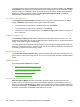
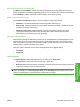
The PostScript Output Option specifies the output format for PS files. Generally, use the default
setting, Optimize for Speed, to print the documents.
ENWW Advanced tab features 123
HP PCL 5, PCL 6, and PS
emulation drivers for
Windows