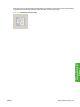
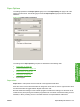
Move the cursor over the document preview image to change the cursor from an arrow to a gloved hand.
Toggle between portrait and landscape page orientation by clicking the image.
Figure 4-6 Document preview image
ENWW Printing Shortcuts tab 133
HP PCL 5, PCL 6, and PS
emulation drivers for
Windows