
HP LaserJet P4010 and P4510 Series - Software Technical Reference




Paper/Quality tab features
Use the Paper/Quality tab to specify the size, type, and source of the media. Also use this tab to specify
different media selections for the front cover, first page, other pages, last page, and back cover of the
document.
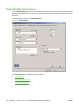
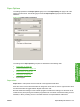
The following figure shows the Paper/Quality tab.
Figure 4-7 Paper/Quality
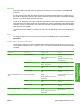
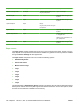
The Paper/Quality tab contains the following options:
●
Paper Options
●
Document preview image
●
Print Quality group box
134 Chapter 4 HP PCL 5, PCL 6, and PS emulation drivers for Windows ENWW