
HP LaserJet P4010 and P4510 Series - Software Technical Reference
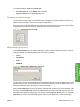

Paper type:
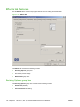
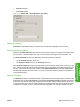
The Paper type: drop-down menu shows a selection of the media types that the HP LaserJet P4010
and P4510 Series printer supports. When you use the default setting, Unspecified, the printer uses the
default media type, which is usually Plain.
Supported media includes the following:
●
Unspecified
●
Plain
●
Light 60-74g
●
Bond
●
Recycled
●
Cardstock 176-220g
●
Monochrome Laser Technology
●
Labels
●
Letterhead
●
Envelope
●
Preprinted
●
Colored
●
Rough
No mechanism exists for manually adding custom media types through the driver. Custom types can
be added only by using the bidirectional communication mechanism, so they must already exist in the
printer when the bidirectional query occurs. If bidirectional communication is enabled, an updated list of
media types is returned. If bidirectional communication is not enabled, the driver looks for custom media
types that have been saved from a previous bidirectional communication query, and uses those.
Otherwise, no custom media types are available through the driver.
The default setting is Unspecified, and the program selects the media type. Before selecting a different
setting, make sure that the correct media type is loaded in the tray that is specified in the Paper
source: setting.
If the print-driver setting is changed to a media type that is not currently loaded in the printer, a control-
panel message prompts you to load the media type or select another tray.
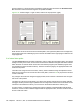
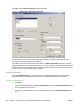
Caution symbols may appear next to some paper types in the selection list. This means that there is
another setting that may be in conflict with the selected paper size. For example, if “print on both sides”
is selected in the Finishing tab, then the Transparency paper type will have a Caution sign next to it
because transparencies can only be printed on a single side.
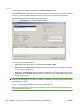
Special pages
To specify special pages to be used, click the Settings button under Special Pages.
ENWW Paper/Quality tab features 139
HP PCL 5, PCL 6, and PS
emulation drivers for
Windows