
HP LaserJet P4010 and P4510 Series - Software Technical Reference
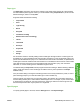
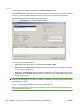
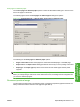
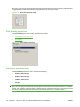
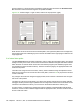
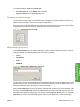

Move the cursor over the document preview image to change the cursor from an arrow to a gloved hand.
Toggle between portrait and landscape page orientation by clicking the image.
Figure 4-12 Document preview image
Print Quality group box
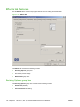
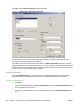
The Print Quality group box contains the following controls:
●
Print Quality drop-down menu
●
EconoMode
Figure 4-13 Print Quality group box
Print Quality drop-down menu
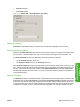
The Print Quality drop-down menu contains the following:
●
ProRes 1200 (180 dpi)
●
ProRes 1200 (132 dpi)
●
FastRes 1200 (default)
●
600 dpi
NOTE: When a “ProRes” setting is selected, documents are printed using a resolution of 1200 x 1200
dpi. This is the best print quality, but printing speed is slower than for documents printed on a “FastRes”
setting. The “FastRes” setting emulates 1200-dpi printing, but places fewer dots on the page and uses
less toner, and printing speed is faster than for documents printed on a “ProRes” setting.
142 Chapter 4 HP PCL 5, PCL 6, and PS emulation drivers for Windows ENWW