
HP LaserJet P4010 and P4510 Series - Software Technical Reference

EconoMode
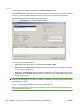
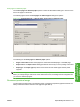
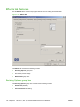
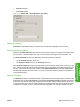
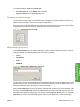
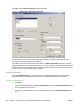
Select the EconoMode check box to reduce the amount of toner on each printed page.
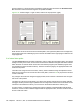
Selecting this option extends the life of the toner supply and reduces cost per page. However, it also
reduces print quality. The printed image is lighter, but it is adequate for printing drafts or proofs.
HP does not recommend the full-time use of EconoMode. If EconoMode is used full-time when the
average toner coverage is significantly less than 5%, it is possible that the toner supply will outlast the
mechanical parts in the print cartridge. If print quality begins to degrade under these circumstances,
install a new print cartridge, even if toner remains in the cartridge.
NOTE: The EconoMode setting might work only if a genuine HP print cartridge is installed. HP print
cartridges can measure the life of the mechanical parts and the quantity of toner. If the EconoMode
setting is used frequently, the mechanical parts can wear out before the supply of toner is depleted,
increasing the risk of toner leaking. Use genuine HP parts to avoid this problem.
The EconoMode option can be activated from the printer control panel, from the Print Quality tab in
the software program properties, or from the Print Quality dialog box on the Paper-Quality tab in the
driver. If the EconoMode option is selected from the control panel, and if the printer has a genuine HP
cartridge, the ON setting overrides any setting made in the program or driver, as shown in the following
table.
Driver EconoMode setting
for print job
HP Cartridge Device control panel
reports
EconoMode setting takes
effect
Selected Yes On Yes
Selected No Off No
Not selected Yes On Yes
Not selected No Off No
Selected Yes Off Yes
Selected No Off No
Not selected Yes Off No
Not selected No Off No
ENWW Paper/Quality tab features 143
HP PCL 5, PCL 6, and PS
emulation drivers for
Windows