
HP LaserJet P4010 and P4510 Series - Software Technical Reference

The following settings disable % of actual size:
●
Print document on (on the Effects tab) is selected
●
Pages per Sheet (on the Finishing tab) is not 1
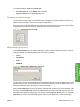
Document preview image
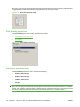
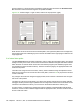
The document preview image is a line-drawn image of a page that represents graphics and text. It is
always oriented so that the contents of the page are right-side-up.
Move the cursor over the document preview image to change the cursor from an arrow to a gloved hand.
Toggle between portrait and landscape page orientation by clicking the image.
Figure 4-17 Document preview image
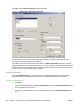
Watermarks group box
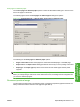
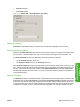
Use the Watermarks feature to select a watermark, create a custom watermark (text only), or edit an
existing watermark. The following watermarks are preset in the driver:
●
(none)
●
Confidential
●
Draft
●
SAMPLE
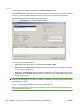
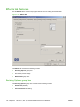
Figure 4-18 Effects tab – Watermarks group box
The drop-down menu shows alphabetically sorted watermarks that are currently available on the system
plus the string "(none)", which indicates that no watermark is selected. This is the default setting. Any
watermark selected from this list appears in the preview image.
When the First Page Only check box is selected, the watermark is printed only on the first page of the
document. The First Page Only check box is disabled when the current watermark selection is "(none)".
Watermarks are applied to logical pages. For example, when Pages per Sheet is set to "4" and First
Page Only is turned off, four watermarks appear on the physical page (one on each logical page).
ENWW Effects tab features 147
HP PCL 5, PCL 6, and PS
emulation drivers for
Windows