
HP LaserJet P4010 and P4510 Series - Software Technical Reference

●
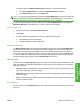
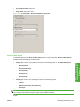
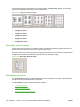
Print page borders check box
●
Page order drop-down menu
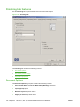
Figure 4-21 Finishing tab – Document Options group box
Print on Both Sides
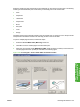
The default setting for the Print on Both Sides option is off (not selected). Print on Both Sides is
available when the following conditions exist:
●
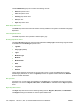
Paper size: is set to any media size except for the following sizes: on the Paper/Quality tab:
◦
Envelope #10
◦
Envelope Monarch
◦
Envelope BS
◦
Envelope C5
◦
Envelope DL
●
Paper type: is set to any media type except for the following types:
◦
Labels
◦
Monochrome Laser Transparency
◦
Envelope
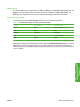
NOTE: As a rule, extra memory is not needed on the [x] printer in order to print on both sides. However,
very complex double-sided print jobs might require additional memory.
Topics:
ENWW Finishing tab features 153
HP PCL 5, PCL 6, and PS
emulation drivers for
Windows