
HP LaserJet P4010 and P4510 Series - Software Technical Reference


●
Mirror Image check box (PS Emulation only)
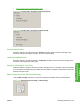
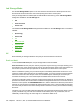
Figure 4-25 Finishing tab – Orientation group box (PCL 6)
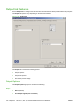
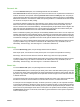
Figure 4-26 Finishing tab – Orientation group box (PS)
Portrait option button
Select this feature to print the document in Portrait orientation, which is when the top edge of the
document is the shorter edge of the paper. This is the default setting.
Landscape option button
Select this feature to print the document in Landscape orientation, which is when the top edge of the
document is the longer edge of the paper.
Rotate by 180 degrees check box
Select this feature to rotate the document image on the paper 180°. For example: If the return address
on an envelope is smudged, select this setting and then feed the envelope into the printer so the return
address area goes in first.
Mirror Image check box (PS Emulation only)
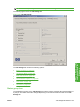
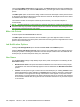
Click the Mirror Image check box to reverse the horizontal coordinates of the printed document.
Figure 4-27 Document preview image — Mirror Image
ENWW Finishing tab features 159
HP PCL 5, PCL 6, and PS
emulation drivers for
Windows