
HP LaserJet P4010 and P4510 Series - Software Technical Reference


Output Bin Options
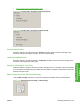
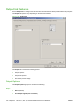
The Output Bin Options group box contains the following:
●
Automatically Select (default)
●
Output Bin 1
●
Output Bin 2
●
Output Bin 3
●
Output Bin 4
●
Output Bin 5
Document preview image
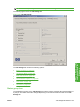
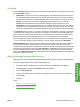
The document preview image is a line-drawn image of a page that represents graphics and text. It is
always oriented so that the contents of the page are right-side-up.
Move the cursor over the document preview image to change the cursor from an arrow to a gloved hand.
Toggle between portrait and landscape page orientation by clicking the image.
Figure 4-29 Document preview image
ENWW Output tab features 161
HP PCL 5, PCL 6, and PS
emulation drivers for
Windows