
HP LaserJet P4010 and P4510 Series - Software Technical Reference
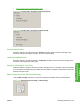
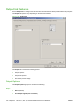

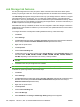
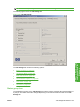
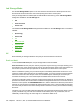
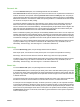
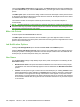
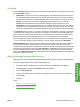

The box labeled Make Job Private is usually inactive. The PIN to Print option becomes available when
you select Stored Job. If you select the PIN to Print box, you must type a PIN to make the stored job
private.
The PIN to print option can be used to assign a PIN to access the stored jobs. These jobs are stored
on the device hard disk and will not be lost if the device is turned off. Stored jobs remain on the device
until deleted at the device control panel.
The maximum number of stored jobs is limited by device memory. No more than 300 jobs is
recommended.
NOTE: A private stored job is not the same as a private job (see above). Private jobs are deleted from
the device after they are printed. Private stored jobs are retained in the device after printing but require
that a PIN be typed each time they are printed.
Make Job Private
A PIN is required when Personal Job is selected.
The PIN to print check box is selected, but not available. Type a four-digit PIN number in the box
provided. The stored job is sent to the printer, where the user must type the four-digit PIN on the control
panel to retrieve the stored job.
Job Notification Options
Clicking a Job Storage Mode option activates the User Name and Job Name options.
Click the Display Job ID when printing option to open a pop-up dialog box on the desktop when the
stored job is printed. The dialog box shows the user name and job name that are associated with the
stored print job, as well as the printer name, port, and location.
User Name
Use the User Name settings to help identify the job at the printer control panel. The following are the
User Name settings:
●
Windows User Name. This option associates the Windows user name with the stored print job.
The Windows user name automatically appears in the text field below the Windows User Name
options.
●
Custom. Use this option to type a custom name for the stored print job. Clicking Custom makes
the text field below the option available. The Custom field can contain no more than 16 characters,
and is limited to A through Z and 0 through 9 because the name appears on the printer control-
panel display. Any typed character in an ASCII code of fewer than 32 or more than 126 characters
is removed from the edit field, along with all of the characters that follow it. Any character beyond
16 is removed.
166 Chapter 4 HP PCL 5, PCL 6, and PS emulation drivers for Windows ENWW