
HP LaserJet P4010 and P4510 Series - Software Technical Reference
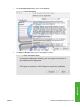
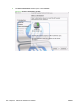
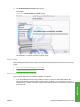
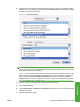

b. Select the HP LaserJet P4010 and P4510 Series printer from the list. The software verifies
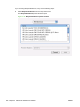
that the printer is connected to the network and the Print Using field is automatically populated
with the correct PPD for the device.
Figure 5-17 Print Using field
NOTE: If you are on a network that has more than one HP LaserJet P4010 and P4510 Series
printer, print a configuration page and match the Bonjour Printer Name to the name on the list
to identify the printer you are installing.
NOTE: If the HP LaserJet P4010 and P4510 Series printer does not appear in the list, verify
that the printer is on and connected to the network, then try turning the printer off and then on
again. If the HP LaserJet P4010 and P4510 Series PPD does not appear in the Print
Using pull-down list, turn the computer off and then on again, then restart the setup process.
For more troubleshooting information, see
Troubleshooting the printer setup on page 208.
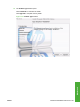
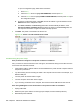
If you want to use the IP Printing method, carry out the following steps:
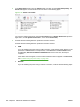
a. Click the IP Printer tab.
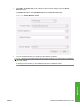
b. Choose HP Jet Direct – Socket from the Protocol pull-down menu. This is the recommended
setting for HP printer.
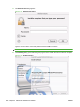
c. Print the configuration pages.
ENWW Macintosh installation instructions 207
Macintosh