
HP LaserJet P4010 and P4510 Series - Software Technical Reference
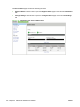
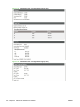


To print a configuration page, follow these instructions.
a. Press Menu,
b. Press the down arrow to highlight INFORMATION, and then press OK.
c. Press the down arrow to highlight PRINT CONFIGURATION, and then press OK to print the
configuration pages.
The printer prints the configuration page.
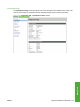
2. On the first configuration page, under Product Settings, find the IP Address. Type this address
into a Web browser such as Safari. The Device Status screen appears.
Information tab
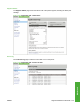
Use the Information tab to access and print detailed information regarding device and supply status,
device configuration, network configuration, and usage.
The Information tab contains the following pages.
●
Device Status
●
Configuration Page
●
Supplies Status
●
Event Log
●
Usage Page
●
Device Information
●
Control Panel
●
Print
Device Status
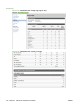
The Device Status page shows device status messages from the device. The Device Status page also
contains some pertinent printer information and device settings.
ENWW Supported utilities for Macintosh 211
Macintosh