
HP LaserJet P4010 and P4510 Series - Software Technical Reference


In-box printing-system software CDs
The software CD for the HP LaserJet P4010 and P4510 Series contains a variety of files for installing
the printing-system software on the computer.
The HP LaserJet P4010 and P4510 Series printing-system software CD is divided into two partitions,
one for each of the following operating systems:
●
MS Windows
●
Macintosh
Each partition includes the necessary software and files that are required to install and uninstall the
printing-system components.
Topics:
●
Windows partition
●
CD versions
Windows partition
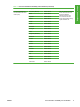
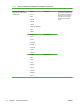
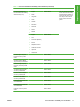
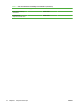
The root directory in the MS Windows partition of the software CD contains the AUTORUN.EXE file, the
SETUP.EXE file, support files, and the following directories.
●
Autorun
●
CCC
●
Drivers
●
DTSS
●
Fonts
●
HP Easy Printer Care
●
HP TCP Port Monitor
●
HPSU
●
Inst Eng
●
Manuals
●
Web Registration
The printing-system files for each language reside in the following directories:
●
Drivers
●
Manuals
NOTE: File layouts differ by language for each regional version of the software CD.
To view the files, insert the HP LaserJet P4010 and P4510 Series printing-system software CD, right-
click Start, click Explore, and then select the CD-ROM drive.
14 Chapter 1 Purpose and scope ENWW