
HP LaserJet P4010 and P4510 Series - Software Technical Reference




Configure Device
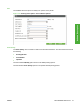
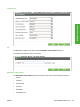
Use the Configure Device menu to configure the device and control device behavior.
Figure 2-18 Configure Device pane
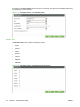
The following submenus are available.
●
Printing
●
Print Quality
●
Runtime CFG
●
System Setup
●
I/O
●
Resets
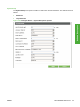
Printing
The Printing option consist of a main menu and two submenus. The two submenus include the
following:
●
Default Custom Paper Size
●
PCL
Use the main Printing option menu to modify general printing options.
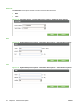
Use the submenu Printing options to modify specific printing options regarding default paper sizes and
PCL printing options.
ENWW HP Embedded Web Server 39
Software Description