
HP LaserJet P4010 and P4510 Series - Software Technical Reference


NOTE: For detailed information about the Installer Customization Wizard, see the HP Device Installer
Customization Wizard Administrator's Guide.
Topics:
●
The Installer Customization Wizard
●
Dialog boxes
●
Distribution
The Installer Customization Wizard
The Installer Customization Wizard runs from the CD. It can be started from the CD browser, depending
on device-specific installation. It runs separately from the common Microsoft Installer (MSI), and has its
own interface.
Running the Installer Customization Wizard produces one installation package and a response file
(RESPONSE.INI) for a single-system installation. The installation package might work for multiple
systems that have the same response information, or the RESPONSE.INI file can be directly edited for
system-configuration differences.
For the exact text with which to replace entries in the RESPONSE.INI file, see the HP Device Installer
Customization Wizard Administrator's Guide.
Run the Installer Customization Wizard
1. Insert the HP LaserJet P4010 and P4510 Series printer printing-system software CD in the CD-
ROM drive.
2. In the CD browser main screen, click Optional Software.
3. Click Installer Customization Wizard.
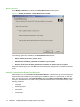
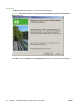
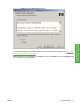
4. Follow the instructions in the dialog boxes to complete the installation.
ENWW Install Overview 75
Install Windows printing-
system components